
Personal Branding
What's your special spark? Maybe you use awesome gadgets, broadcast from interesting locations, or have a catchy slogan. Whatever your unique qualities are, they're the perfect starting point for establishing your personal brand.
How to Stand Out
A strong brand has many ways that people can easily recognize and remember you. From your channel name to visual assets (like on-screen alerts and custom emotes), all of the components tie together so that audiences can understand exactly who you are and what you offer.

What to Consider When Crafting a Brand
You are able to incorporate your branding into a multitude of areas on and off of Twitch. Creating a brand that is transferable across platforms will ensure consistency and help potential fans easily identify you.
Themes
1. Develop a cohesive style
2. Ensure theme elements work together
3. Plan for theme evolution as you grow
Logo & Images
1. Design a memorable logo that works in many sizes
2. Ensure it is recognizable and identifiable as a profile picture
3. Consider light and dark modes
Colors
1. Select a primary color with two to three secondary/complementary colors
2. Consider color psychology and what emotions they evoke
Font
1. Choose one to two primary fonts that are easily readable
2. Select fonts that match you and your brand’s personality
3. Ensure the font is web-safe and properly licensed
Where to Incorporate Branding
Your brand should be flexible enough to evolve while maintaining its core identity. There are many places to incorporate your branding both on Twitch and in your broadcasts.
Stream Visuals Starting Soon/Ending screen Overlays Creator Panels Offline Channel Image Alerts | Interactive Elements Chat commands Bot name Channel points Subscriber badges Emotes |
|---|
TWITCH TIP:
Your broadcast space is also a reflection of your branding. Ensure that anything visible on screen speaks to your brand and its character.
Custom Emotes
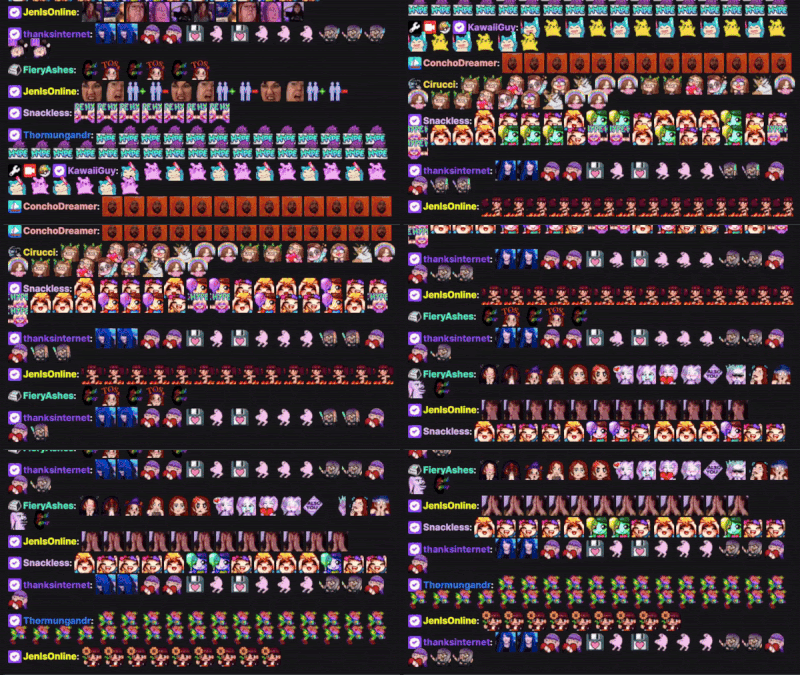
Emotes are used across Twitch to communicate emotions like excitement, surprise, sadness, frustration, and more. Emotes are powerful branding tools that serve as a visual vocabulary that is exclusive to your community. This exclusivity encourages viewer loyalty and provides an additional incentive for viewers.
Channel Emotes are up to your imagination, but often you will see a streamer's face, their avatar, or mascot. Emotes are used in community traditions when cheering on a streamer, celebrating together, during raids, and more. Emotes should be a representation of you and your community - the wins, the inside jokes, and everything in between.
TWITCH TIP:
Seasonal emotes for summer, fall, or winter are great ways to incentivize your community to use emotes at different times during the year.
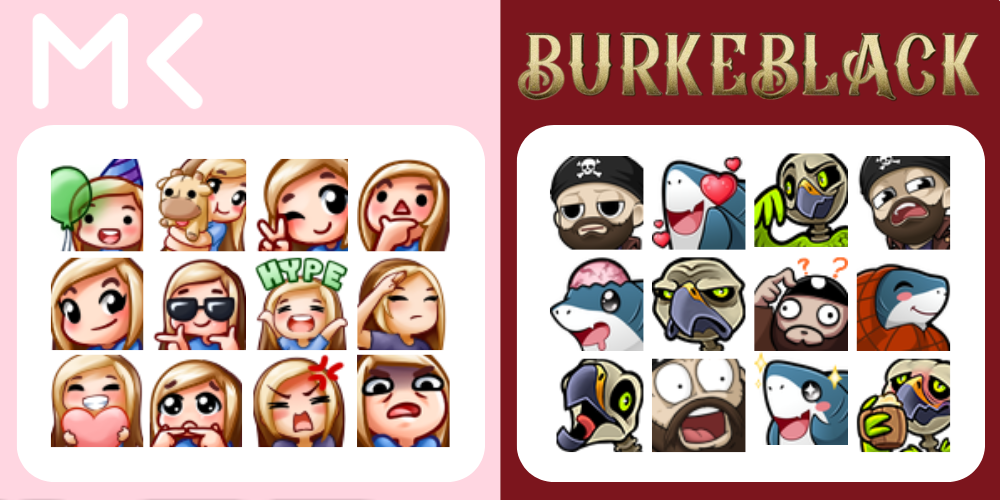
All monetized creators on Twitch have the ability to create emotes for their channel. As your channel grows you can unlock additional slots, expanding your custom collection of both still and animated emotes.
You can either design custom emotes yourself, work with an artist, or use free ones that Twitch has created. Over time, your emotes will evolve with you and your community.
TWITCH TIP:
To get started, check out channels on Twitch to see what emotes are used most. "Wave”, "LURK”, "Excited”, "Frustrated”, and "Surprised” are feelings that viewers want to share with you.
Bit and Cheermote Badges
Twitch Bits are virtual items you can purchase to support streamers. A cheer is a chat message that uses bits. Bits can be used one by one, all at once, or anything in between. Using many Bits at once shows more support through cool animations called Cheermotes. Partners have access to create custom cheermotes.